Every other time tracker nags you to clock in and log more. Quittin' Time counts your active hours and, at eight — or wherever you set the line — tells you to put your tools down.
Free to use · one-time Pro unlock, no subscription · iPhone · private, no accounts
The whole idea, in one line
Your phone buzzes: “Quittin’ time. Go home.”
It’s the opposite of a productivity app — a boundary-enforcer for your own time, built for people who keep blowing past their 40-hour week.
See it work
Eight hours, then the whistle.
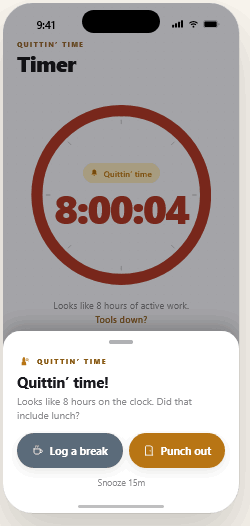
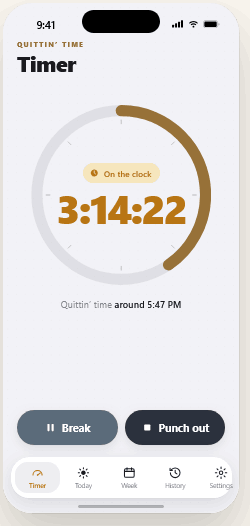
Watch the day cross your line — and the nudge land everywhere you’ll see it: the timer, the Lock Screen, the Dynamic Island. No projects, no timesheet. Just your active hours, and a tap to call it.
A short loop of the actual app screens — no sound needed.
How it works
Three taps from burnout to boundary.
1
Punch in
Tap once when you start. No projects, no tags, no timesheet — just the clock running.
2
Only active time counts
Breaks don’t count. Active hours are derived from timestamps, so they survive an app-kill, a backgrounded phone, even a reboot.
3
At your line, quittin’ time
Hit your daily goal — eight hours by default, or whatever you set — and a respectful nudge ladder kicks in — a heads-up, then the whistle. It hedges, and it always offers a one-tap fix.
Set your line
Eight is just the default.
Six-hour Fridays? A four-day week? Part-time? Set your daily goal and your weekly contract, and Quittin' Time holds the line you actually want — then nags you against that, not someone else’s number.
8h
quittin’ time
~ 5:00 PM
4h8h12h
40h
≈ 5 days at 8h
Whatever you pick, the ring fills against your day and the week is measured against your contract. Set it with a wheel picker in the app, in hours and minutes.
The voice
It nudges. It never lectures.
Playful whistle, but humble. The further past eight you go, the more helpful it gets — not snarkier. And because logging is never perfect, it hedges anything it isn’t sure of and pairs every nudge with a one-tap correction.
T − 30 min
“30 minutes to quittin’ time.”
At 8 hours
“Quittin’ time! Looks like 8 hours on the clock. Did that include lunch?”
+10 min
“Still going. About 10m past quittin’ time.”
+30 min
“You may be over by ~30m. Edit today if a break didn’t get logged.”
What’s inside
Built to make stopping easy.
Active time only
It tracks real work, not hours-at-desk. Pauses never count toward your day.
A line you set
A clear daily ceiling on active work — eight by default, yours to set from four to twelve — with the week measured against your own contract, not a fixed 40.
Respectful, escalating
A nudge ladder, not a guilt machine. Tone de-escalates as you go over; it never claims certainty it doesn’t have.
Lunch safety-net
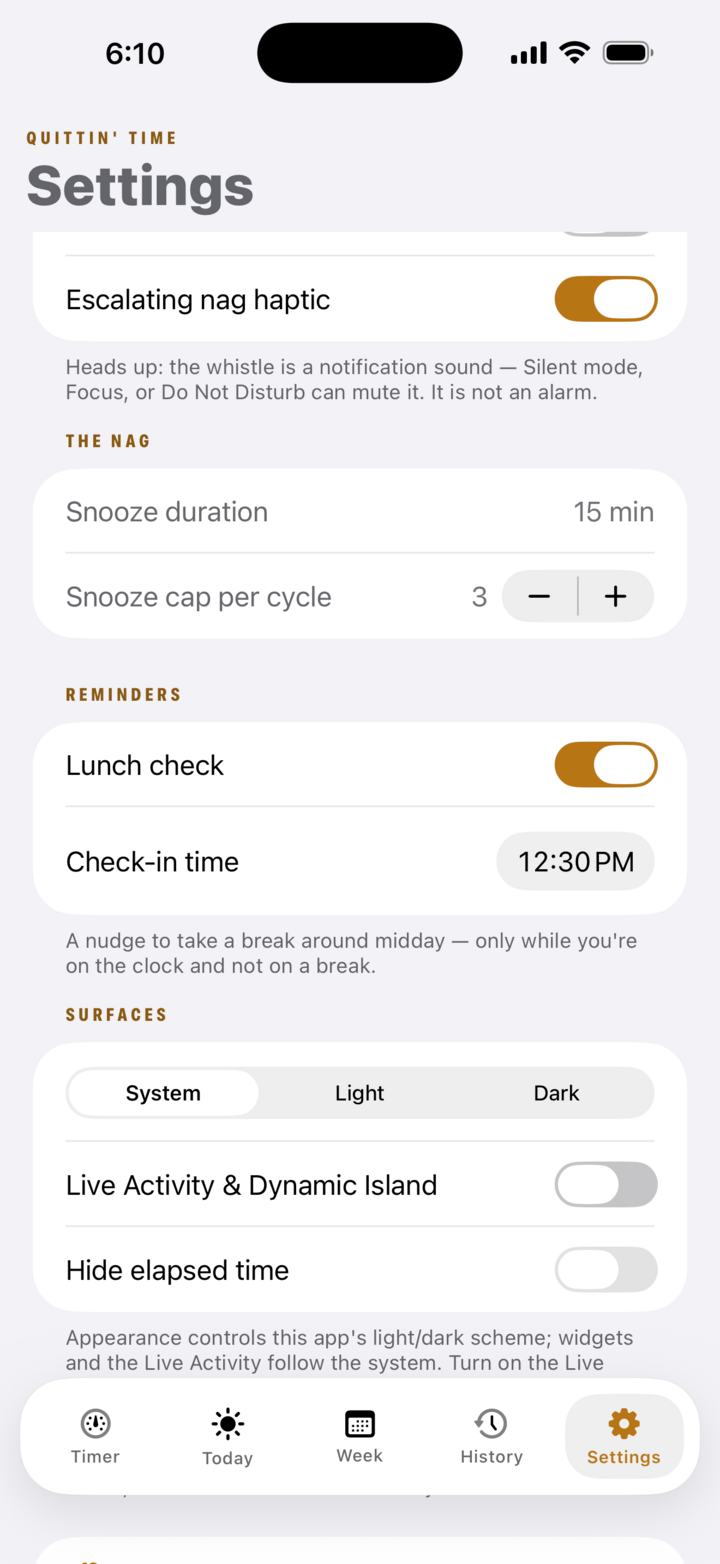
A gentle midday nudge to actually take your break — 12:30 by default, set it to your hour. So lunch doesn’t quietly become more work. Free.
Fix the day in a tap
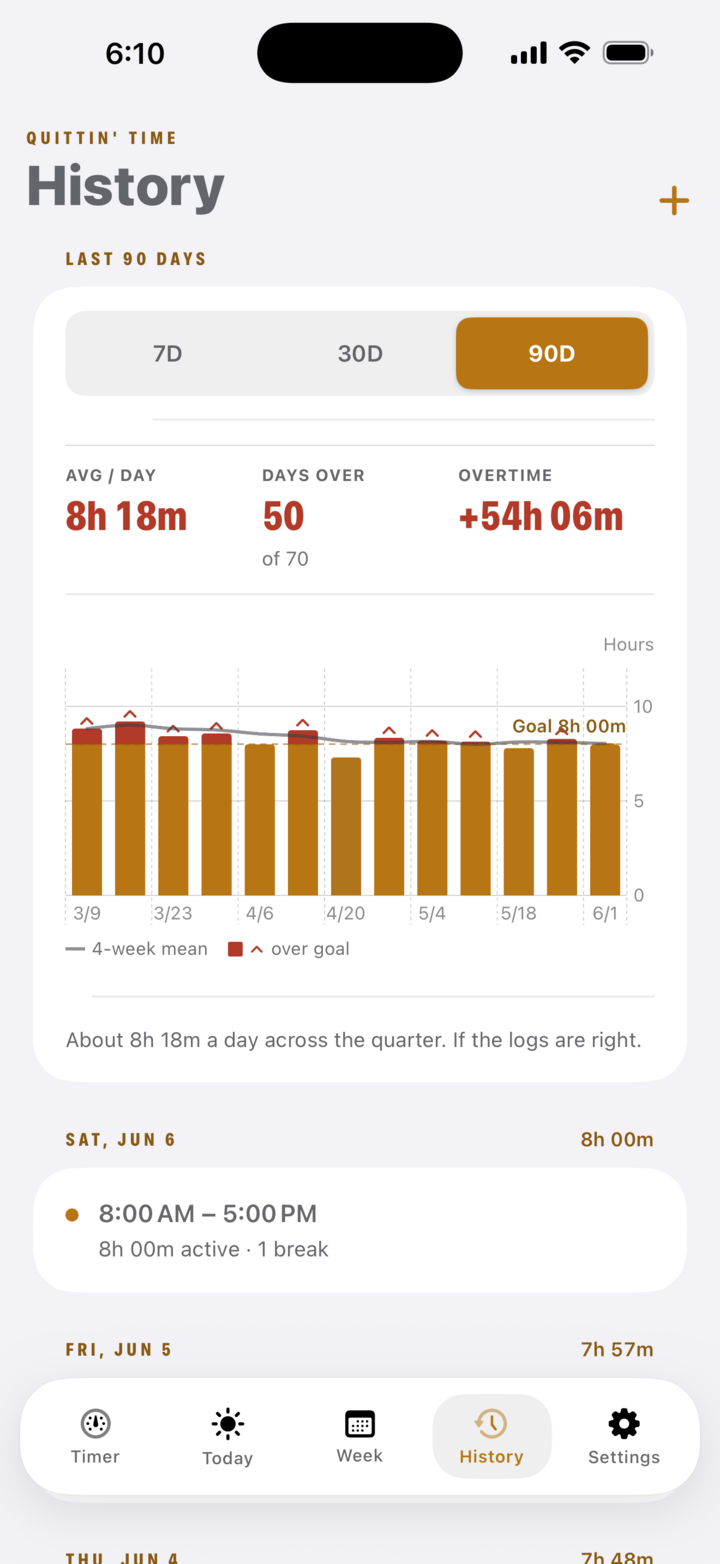
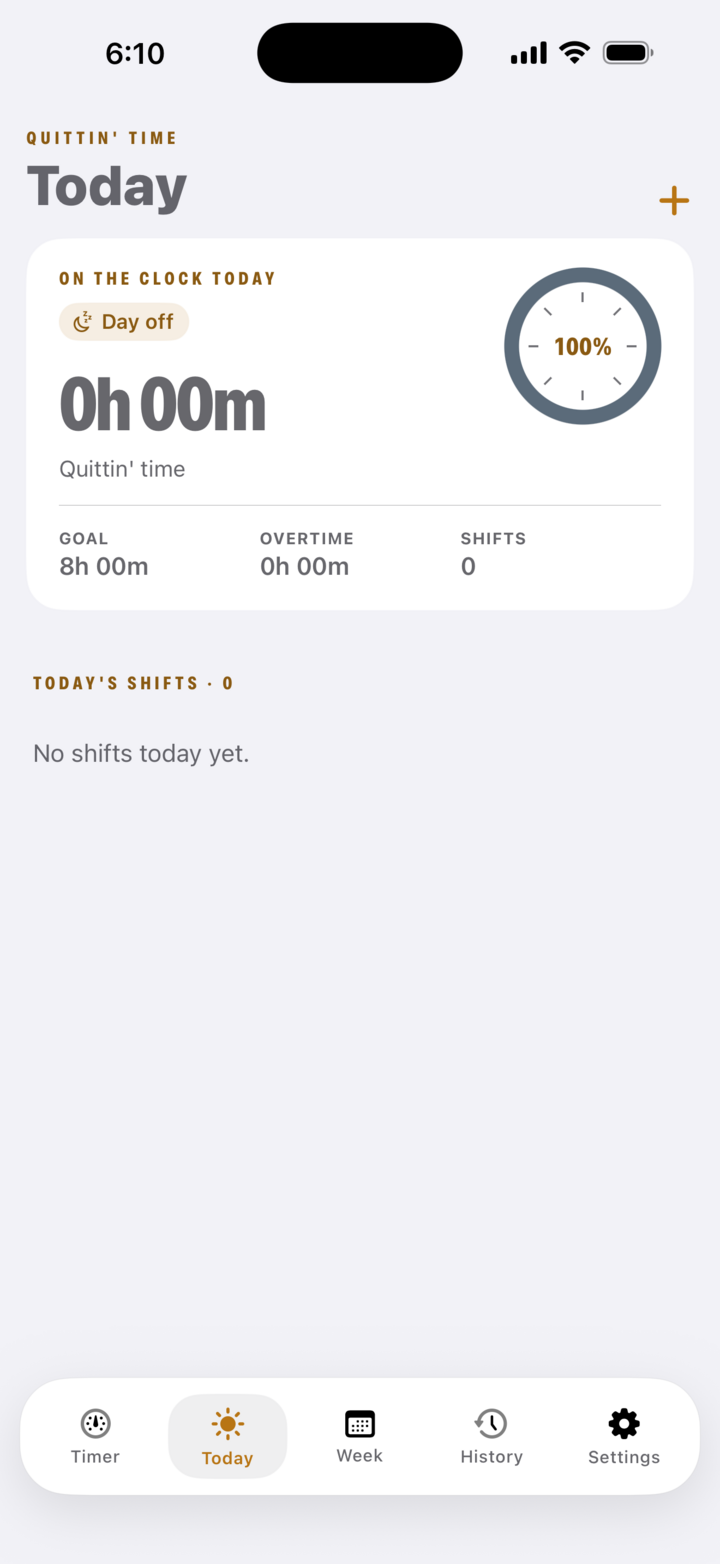
Mark today a full day off, or add a shift you forgot to track — straight from Today. The record stays honest without a fight. Free.
Export to CSV
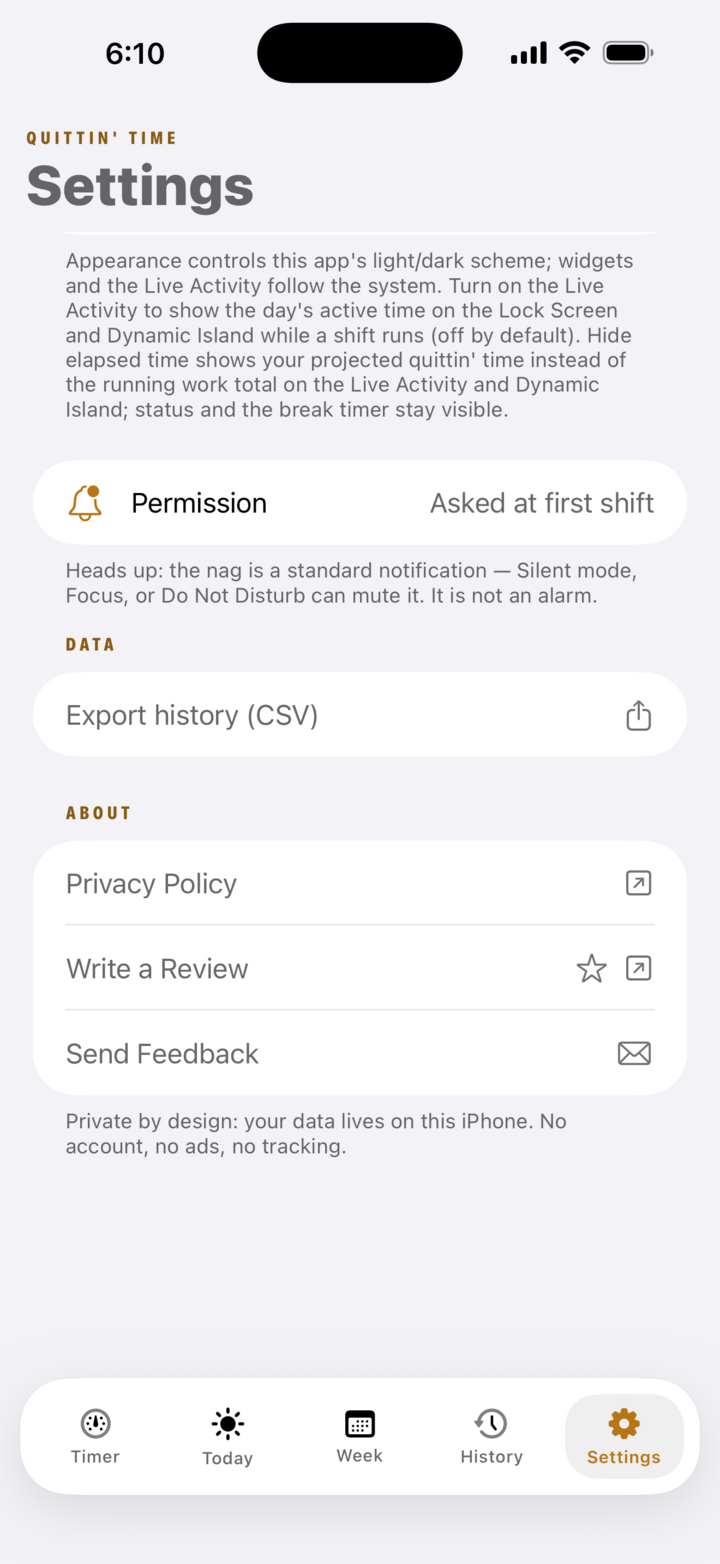
Take your full shift history out as a spreadsheet whenever you want — it’s your record, no lock-in. Free.
Local-first & private
No backend, no accounts, no ads, no data extraction. Your record stays on your device or your own iCloud — never ours.
One-time Pro, no subscription
Free is fully usable. Pro is a one-time unlock that adds depth — never a recurring bill.
Live Activity, Island & widget
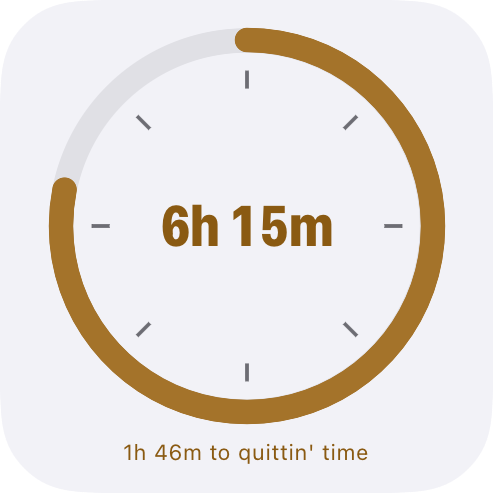
Your running day, glanceable without opening the app — Lock Screen, Dynamic Island, and a refreshed Home Screen widget built around a big progress ring with the time left to go.
iCloud backup & restore
Point-in-time backups of your history to your own iCloud Drive, manual or automatic, with a full-replace restore — separate from Pro sync. Free for everyone.
Ask Siri
“Am I done?” — ask Siri or run a Shortcut for time worked today, time left, when quittin’ time lands, or to log a break hands-free. Free.
A look inside
Every screen, one job: get you out the door.
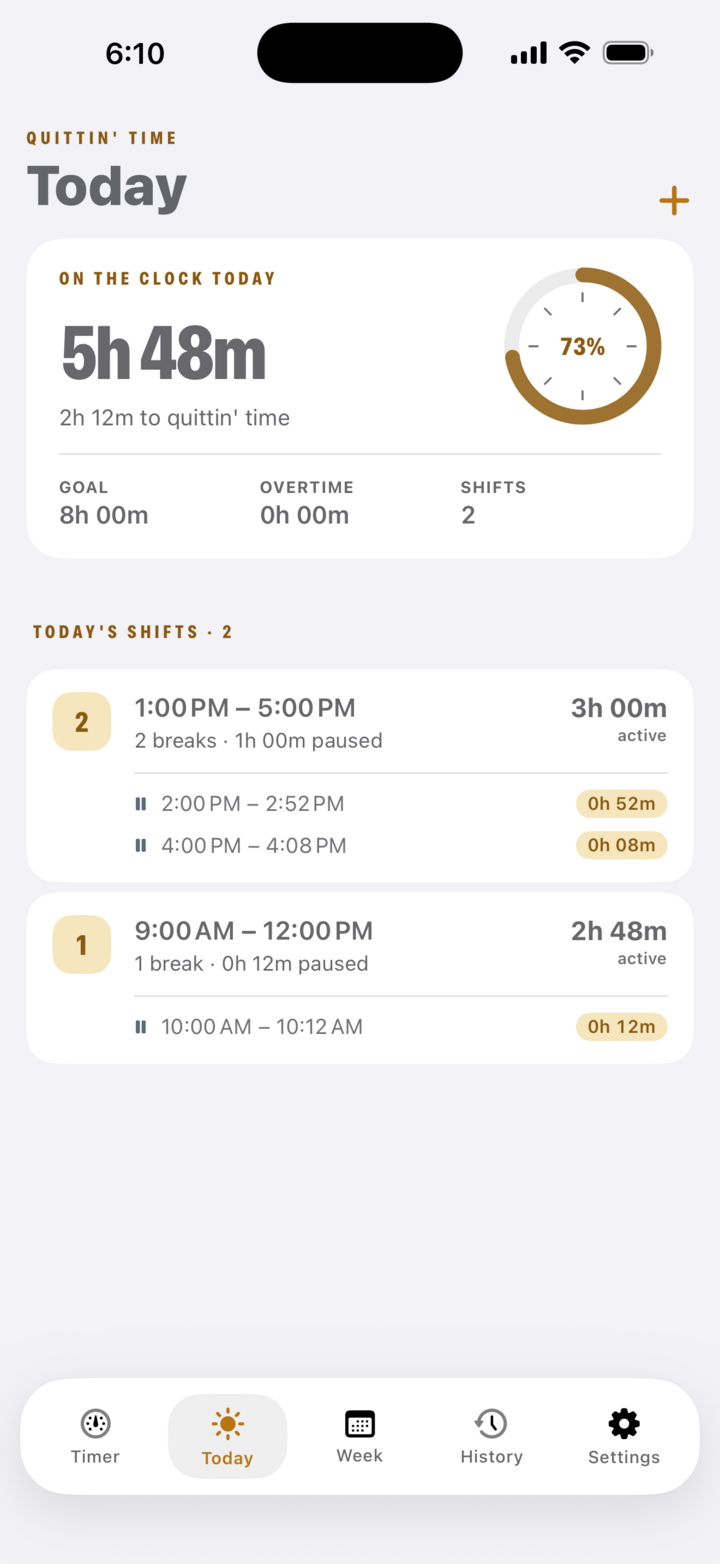
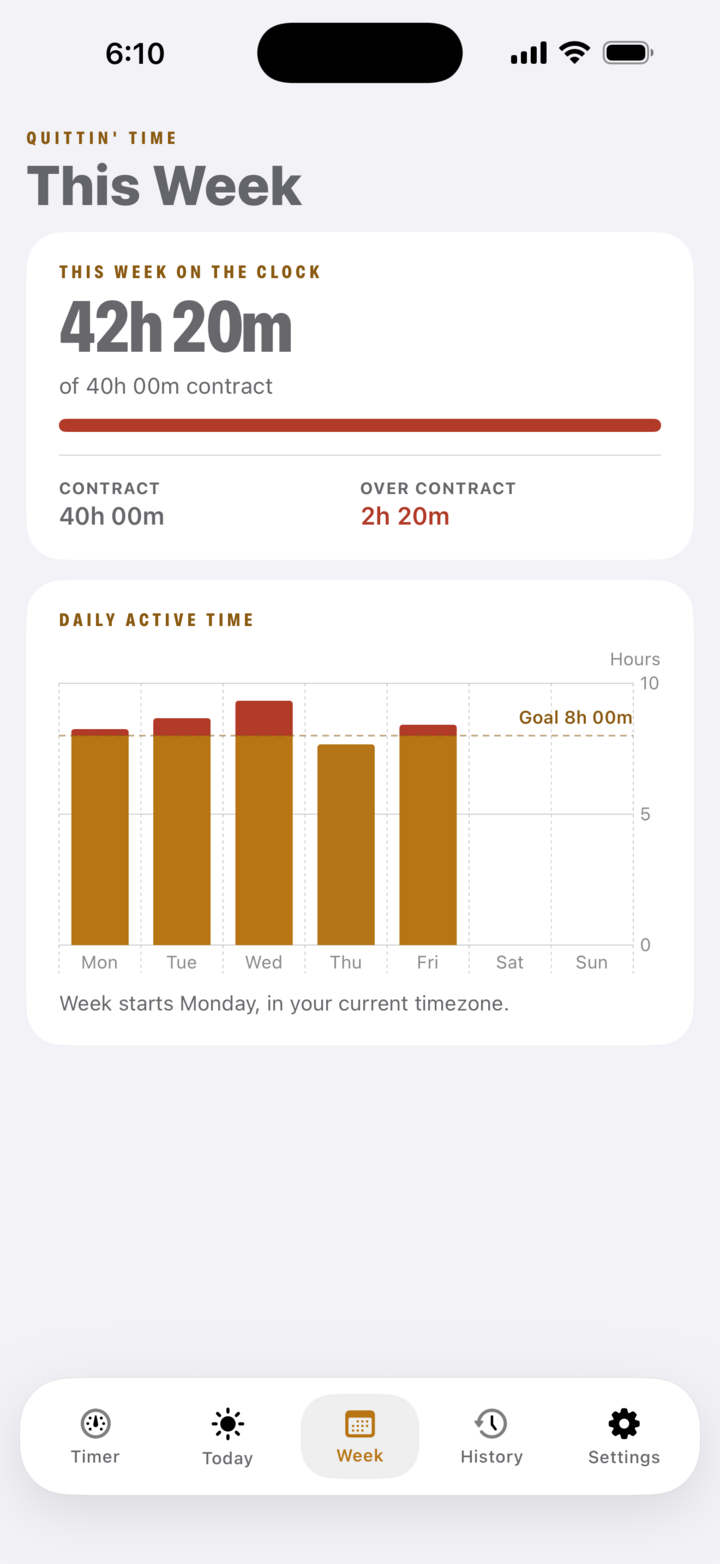
Real screens from the app — your day, your week, the pattern over time, and the small tools that keep the record honest.
Your day at a glanceYour week vs your contractSee the patternLunch safety-net reminderMark a day offExport to CSV
Home Screen widget
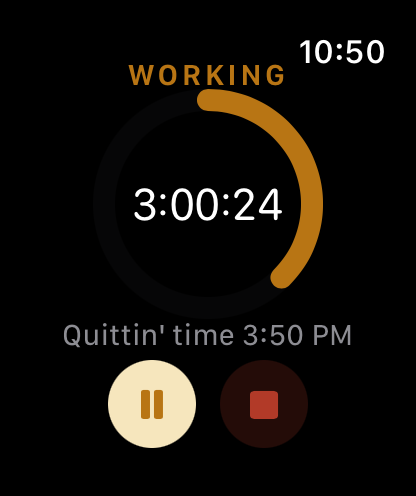
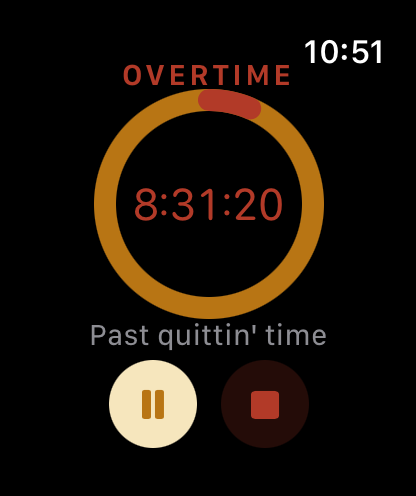
Apple Watch glance: on track, then past quittin' time
Yours, and only yours
No accounts. No ads. No catch.
Quittin' Time keeps your shifts on your iPhone, or in your own iCloud if you turn on sync or backup — never uploaded to our servers. There’s nothing to sign into and nothing to leak — a tool about protecting your time shouldn’t spend it harvesting your data.